
Essential Tips for Replacing Your Ford Key Fob Battery
Biener Ford Blog
How to Replace the Battery in Your Ford Key Fob
A quick guide to recognizing a weak key fob battery, replacing it yourself, and troubleshooting common issues before they leave you stuck.
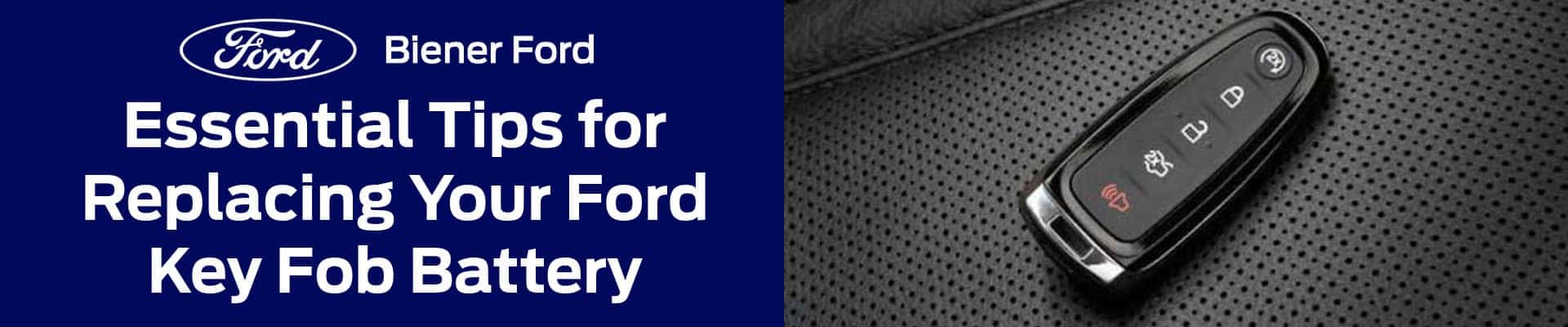
Having a reliable key fob is crucial for every Ford owner, especially for those who enjoy spending time outdoors. Whether you’re heading out for a weekend adventure in the Adirondacks or planning a day hike at Hempstead Harbor Park, a dead key fob battery can quickly turn a great day into a frustrating experience. Fortunately, replacing the battery in your Ford key fob is a straightforward task that anyone can handle, ensuring that you’re always ready to hit the road, whether it’s for work or play.
Step-by-Step Guide to Replacing the Battery
Replacing the battery in your Ford key fob is a simple process that can be done in just a few minutes with the right tools. Here’s a step-by-step guide to get you back on the road quickly:
Tools Needed:
- Small flathead screwdriver
- Replacement battery (usually CR2032 or CR2025)
Step-by-Step Instructions:
- Locate the Release Button and Remove the Key Blade: Start by finding the small release button on your key fob. Press it to remove the key blade, which will give you access to the fob’s internal components.
- Pry Open the Fob Casing: Using a small flathead screwdriver, gently pry open the key fob casing. Be careful not to apply too much force, as you want to avoid damaging the fob.
- Remove the Old Battery and Insert the New One
- Once the fob is open, carefully remove the old battery. Take note of the battery’s orientation before you remove it, so you can insert the new battery in the same way. Place the new battery into the slot, ensuring it’s properly seated.
- Reassemble the Fob and Test It: After the new battery is in place, snap the fob casing back together. Reinsert the key blade, and test the fob to ensure all the buttons are working properly.
Understanding Your Ford Key Fob
The key fob is more than just a device to unlock your Ford. It’s an essential part of your vehicle’s modern functionality. Today’s Ford vehicles come equipped with keyless entry, push-button start, and even remote start, all of which rely on your key fob to operate smoothly. For outdoor enthusiasts, maintaining a fully functional key fob is especially important. Whether you’re using the remote start feature to warm up your truck before a chilly morning hike or depending on the keyless entry after a long day at Hempstead Harbor Park, ensuring that your key fob is in top shape is key to keeping your adventures on track.
Signs Your Key Fob Battery Needs Replacement
A key fob that’s starting to fail can give you a few clear signs that it’s time to replace the battery. You might notice a reduced range, where you have to be closer to your vehicle for the key fob to work. Other indicators include the fob working intermittently or not responding at all when you press the buttons. These issues can become more than just a minor inconvenience. Imagine packing up after a peaceful fishing trip on the Long Island Sound, only to find that your key fob isn’t working. Addressing these signs early can prevent frustration and ensure that your Ford is always ready when you are.
Safety Tips:
- Avoid Touching the Battery Terminals Directly: Oils and dirt from your fingers can reduce battery life, so it’s best to handle the battery by its edges.
- Dispose of the Old Battery Properly: Used batteries should be disposed of according to local regulations. Many stores that sell batteries also offer recycling services.
With these steps, your Ford key fob should be functioning like new and ready to accompany you on your next adventure.
Troubleshooting: What to Do If Your Key Fob Doesn’t Work After Battery Replacement
Sometimes, even after replacing the battery in your Ford key fob, you might find that it’s still not working properly. Here are some common issues and solutions to help you troubleshoot:
Common Issues:
- Improper Battery Placement: One of the most frequent issues is that the battery wasn’t placed correctly. Even if it seems like it’s in the right spot, double-check the orientation to ensure it matches the original battery’s position.
- Damage to the Fob: If the key fob casing was pried open too forcefully or if the fob has been exposed to water or extreme conditions, it might have sustained damage that affects its functionality.
- Interference from Other Electronic Devices: Sometimes, other electronic devices or even certain types of environmental interference can prevent your key fob from working as intended.
Solutions:
- Check the Battery Orientation: Open the fob again and confirm that the battery is positioned exactly as it should be. The positive and negative sides should match the indicators inside the fob.
- Reset the Fob: In some cases, holding down specific buttons on the fob, often the lock and unlock buttons together, for a few seconds can reset the fob and restore its functionality.
- Seek Professional Help: If you’ve tried these steps and your key fob still isn’t working, it might be time to visit Biener Ford. Their service team can diagnose and fix any issues, ensuring you’re not left stranded on the way to your destination.
Replacing the battery in your Ford key fob is a quick and simple task, but it plays a crucial role in keeping your vehicle ready for anything. By taking a few minutes to replace the battery when needed, you can avoid the frustration of a non-working key fob, especially when you’re preparing for an adventure. Whether you’re heading out to explore the beauty of the Adirondacks, enjoy a day at Jones Beach, or take a scenic drive along the North Shore, ensuring your key fob is fully functional means you can focus on the journey ahead.
If you ever need assistance with your key fob or are interested in exploring the latest Ford models, perfect for both work and outdoor recreation, don’t hesitate to visit Biener Ford. Our team is here to help you with all your automotive needs, ensuring that your Ford is always ready for your next adventure.
Need Help With Your Ford Key Fob?
Whether your key fob still is not working after a battery replacement or you just want expert help, Biener Ford is here to assist.

0 comment(s) so far on Essential Tips for Replacing Your Ford Key Fob Battery