How to Use Ford Remote Start the Right Way
How to Use Ford Remote Start in 2026
Early mornings in the city can be rough in the winter. Frost on the windshield, cold seats, and a cabin that takes forever to warm up can make every commute feel longer than it should. In the summer, the problem flips. By late afternoon, the inside of your Ford can feel like an oven before you even open the door.
That is why so many Ford owners rely on remote start. With the press of a button or a tap in the FordPass app, your vehicle can begin warming or cooling the cabin before you get in. Once you start using it, it quickly becomes one of those features you do not want to live without.
Still, Ford remote start is not always as straightforward as people expect. Some drivers are not sure whether their vehicle has it. Others do not know whether to use the key fob or the app, or why the feature works one day and not the next. This guide walks through the basics so you can get more out of it.
Quick Answer
Ford remote start lets you start your vehicle before getting in so the climate system can begin heating or cooling the cabin. On most Ford key fobs, you press the lock button once and then press the remote start button twice. On many newer models, you can also use the FordPass app to start your vehicle from almost anywhere with a cellular connection.
What Is Ford Remote Start?
Ford remote start is a feature that lets you start your engine from a distance so your vehicle can begin heating or cooling before you step inside. While the vehicle is remotely started, it stays locked for security and will shut off if someone tries to open it without the proper key present.
Ford has offered remote start for years, but it became much more common in recent generations. Some vehicles support it directly from the key fob, some support it through the FordPass app, and many newer models offer both.
If your key fob has a circular arrow button, your vehicle may already support remote start. If not, your Ford might still offer app-based control depending on the model, year, and equipment.
Which Ford Models Commonly Offer Remote Start?
Remote start has been available on a wide range of Ford models, but availability depends on model year, trim level, and equipment package.
- Ford F-150 (2015 to 2025): Common on XLT trims and above, with FordPass support becoming more common from 2018 forward.
- Ford Explorer (2016 to 2025): Frequently available on XLT and higher trims, often with both fob and app support.
- Ford Edge (2016 to 2024): Often found on SEL trims and above, including FordPass-connected functionality on many models.
- Ford Escape (2017 to 2025): Common on SE trims and above, and typically standard on Titanium and higher-content trims.
- Ford Fusion (2016 to 2020): Widely available before discontinuation, especially on SE and Titanium trims.
For newer models, remote start is often tied into FordPass Connect. That means some vehicles can use the app even if the fob does not have a dedicated remote start button.
If you are not sure whether your Ford has remote start, check your owner’s manual, your original window sticker, or explore available features on Biener Ford’s new vehicle inventory.
How to Use Remote Start with the Ford Key Fob
Using the key fob is the quickest option when you are nearby. On many Ford vehicles, the range is roughly a few hundred feet depending on surroundings and battery condition.
Step 1
Press the lock button on the key fob once.
Step 2
Immediately press the remote start button twice.
If the command goes through, the lights will flash and the engine will start. Most Ford vehicles then run for about 15 minutes by default. Some models let you repeat the process once for a longer total run time.
If you want to turn the engine off before getting in, press the remote start button again.
Tip: If your key fob does not have the circular remote start icon, your vehicle may not support fob-based remote start, or it may require activation, an accessory kit, or a software-related update.
How to Use Ford Remote Start with the FordPass App
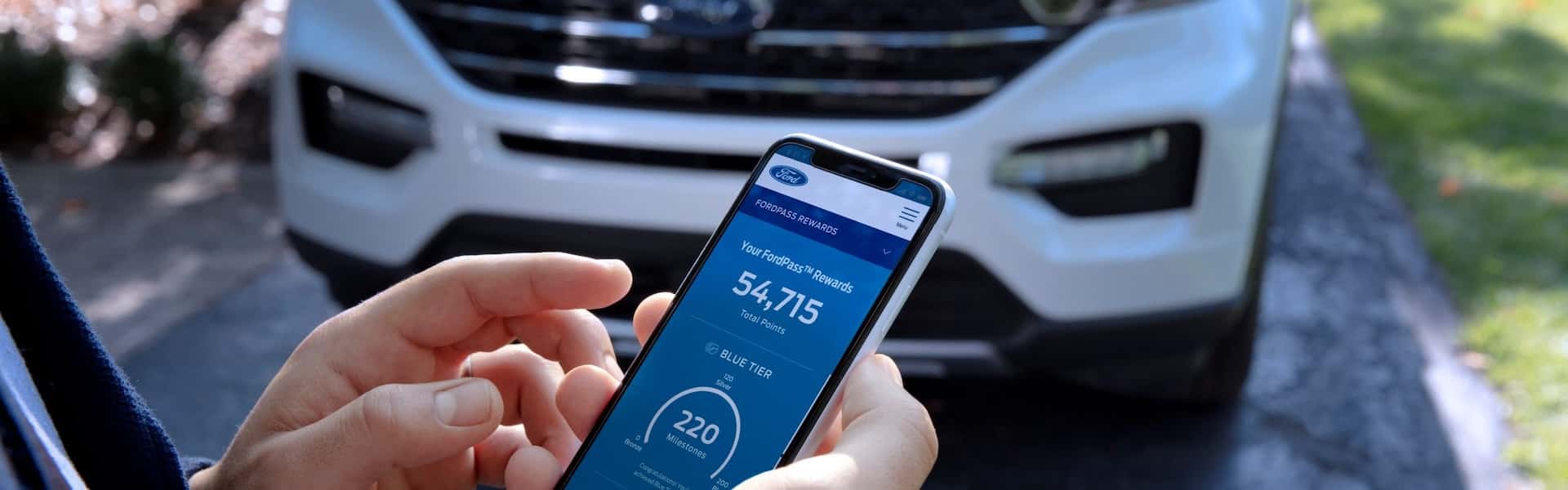
For many newer Ford vehicles, the FordPass app is the easiest and most flexible way to use remote start. It is especially convenient when you are inside a building, parked far away, or out of normal key fob range.
After downloading the app from the App Store or Google Play, you can enter your VIN and pair your vehicle to your account. Once setup is complete, FordPass can do more than just remote start.
What You Can Do with FordPass
- Start or stop the engine remotely
- Lock or unlock the doors
- Schedule a regular start time
- Check fuel and oil information on supported models
- Locate your vehicle in a crowded parking area
One of the biggest benefits of FordPass is range. Because it uses a network connection, you can often remote start your Ford from almost anywhere with service.
How MyKey Can Affect Ford Remote Start
Some drivers run into remote start issues when MyKey is active. Ford MyKey is designed to limit certain settings for teen drivers, valets, or secondary users. Depending on how it is configured, it can restrict remote start behavior or affect how long the vehicle remains running.
If you are using MyKey and notice that remote start does not work the way you expect, switch to the Admin Key and review your settings through the vehicle menu. Ford also provides more detail on its MyKey FAQ page.
Common Ford Remote Start Problems
If remote start is not working, there is usually a simple reason. These are some of the most common things that stop the system from activating.
The Hood Is Open
Remote start is disabled if the hood is not fully latched.
The Vehicle Is Not in Park
The system will not engage if the gear selector is not fully in Park.
A Warning Light Is On
Many Ford models disable remote start when a check engine or similar warning light is active.
Fuel or Battery Is Too Low
Low fuel, a weak vehicle battery, or a weak fob battery can all stop remote start from working correctly.
If you are using FordPass, the app will often show an error message explaining why the vehicle did not start. That can make troubleshooting much easier.
What If My Ford Does Not Have Remote Start?
Not every Ford leaves the factory with remote start active. Even if the vehicle platform supports it, the feature may need a software setup, a dealer-installed accessory, or a Remote Access Kit depending on the model and trim.
This is especially common on older vehicles or lower trims. In some cases, the hardware is already there but the feature is not turned on. In other cases, the vehicle may need an upgraded module, a remote start accessory, or a different key fob.
If you are unsure whether your Ford can be upgraded, the best next step is to have the vehicle checked professionally. A technician can review your VIN and tell you exactly what your options are.
Final Thoughts
Ford remote start is more than a convenience feature. It can make everyday driving more comfortable in both hot and cold weather, and once you get used to it, it often becomes part of your normal routine. Whether you prefer using the key fob or the FordPass app, it is one of the easiest ways to make your vehicle feel ready before you even get in.
If you are still not sure whether your Ford has remote start, or if you need help setting up FordPass, testing the fob, or checking upgrade options, the team at Biener Ford is here to help.
Need Help with Ford Remote Start?
If your remote start is not working, or you want to find out whether your Ford can be upgraded, schedule a visit with the team at Biener Ford.
Your Ford should work just as hard as you do, and that includes being ready before you even open the door.

2 comment(s) so far on How to Use Ford Remote Start the Right Way
I have a 2022 Ford F450 pickup truck. My truck is a STX model but has Ford pass on it and I can remote start it with my phone. I’d also like to be able to start it with my key fob but my key fob only has Lock, Unlock and Panic on it. What would I need to do to be able to start it with my key fob? I’m guessing buy another key fob with that other button on it but I don’t know if I need to take it to the dealership or what I need to do to get it so I can also use a key fob to crank it.
Hi Anthony, thanks for reaching out, and you’re thinking about this the right way.
Since you’re able to remote start your 2022 Ford F-450 using FordPass, that tells us your truck is already equipped
with the remote start capability through FordPass Connect. The reason you can’t do it with your current key fob is simply because
your fob doesn’t have the remote start button (the circular arrow icon).
Why Your Key Fob Doesn’t Remote Start
Some STX trucks come with a basic fob that only includes Lock, Unlock, and Panic.
Even if the truck supports remote start through the app, the key fob still needs the correct button layout to start the vehicle remotely.
What You’d Need to Add Remote Start to Your Key Fob
This is the fob with the circular arrow (⟳) icon used for remote starting.
Once you have the correct fob, it must be programmed to your F-450 so it can communicate with your vehicle properly.
Do You Need to Bring It to the Dealership?
In most cases, yes. Programming a Ford key fob typically requires dealer-level tools (or a qualified automotive locksmith
with Ford-capable programming equipment). At Biener Ford, we can:
A Quick Note About Buying a Fob Online
You can purchase a remote start fob online, but we often see two issues:
If you do buy one elsewhere, we can still help by confirming compatibility and programming it if it’s the correct fob.
Best Next Step
The easiest way to get this handled without guesswork is to bring your current key fob (and your truck, if possible)
to Biener Ford. We’ll check your VIN, confirm what your truck supports, and walk you through the best option to add a
remote start-capable fob.
Want to get started? Give our team a call or schedule a quick visit, and we’ll help you get set up so you can remote
start your F-450 from both FordPass and your key fob.